Open Orbit on your Mac.
Launch Orbit on your Mac and allow access for the controls you want to use.
 Orbit
Made for Mac. At home on iPad.
Your Mac’s apps, music and controls, on your iPad.
7 days free · No subscription
The setup gallery
Adrien’s own setup, followed by ten imagined spaces for Orbit.
Drag to explore · Select a photo to enlarge
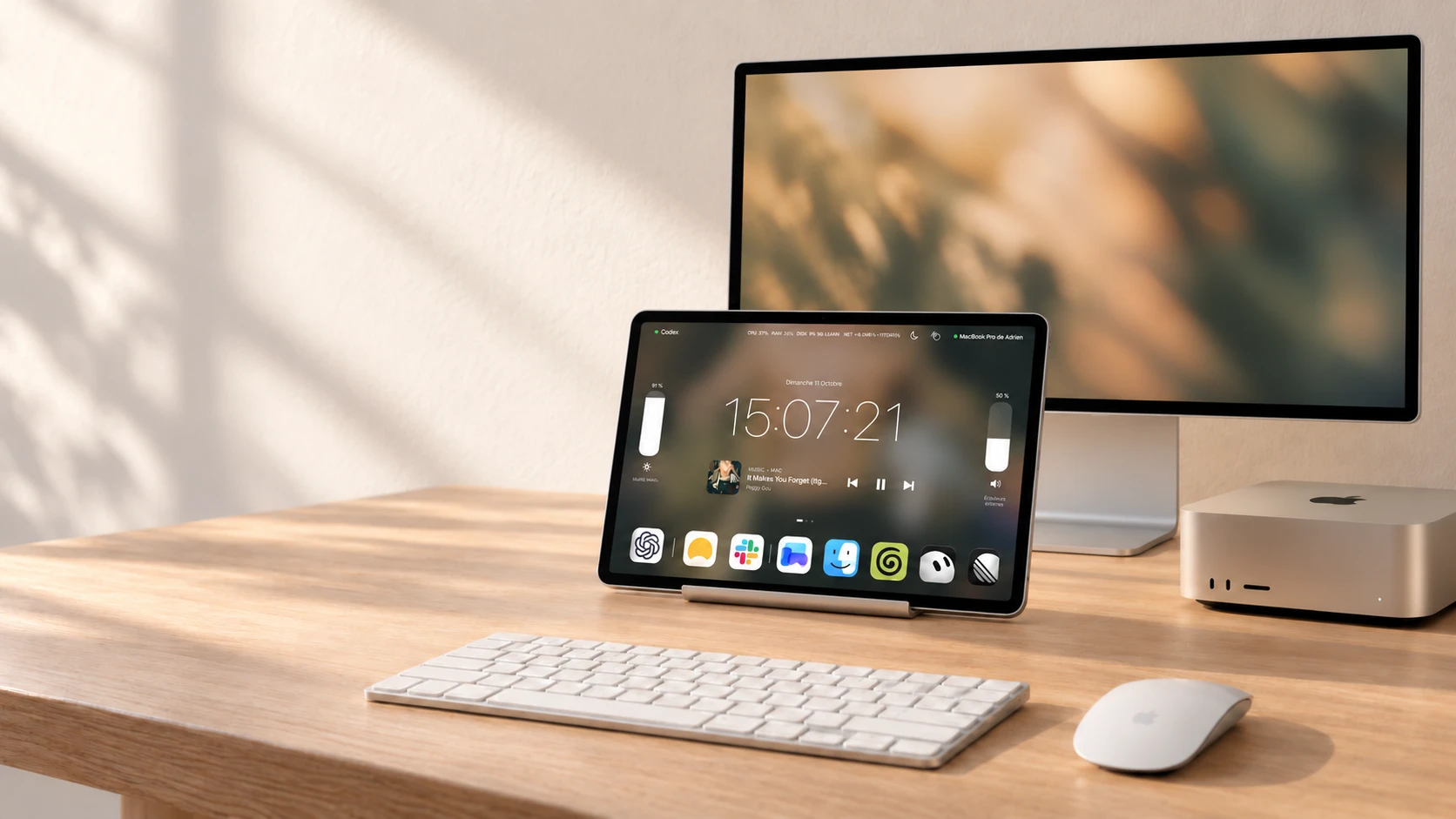
Give your iPad a place beside your Mac. Your music, your apps, your agents and the little things you reach for all day.
See Orbit on your deskA tap to open. A tap to switch.
The right track, always within reach.
Volume, brightness and more.
02 / On your desk
Apps, music, agents and controls. See how Orbit fits into your workspace.
Your Mac wallpaper flows onto your iPad, softly blurred behind the essentials. One desk, one atmosphere.
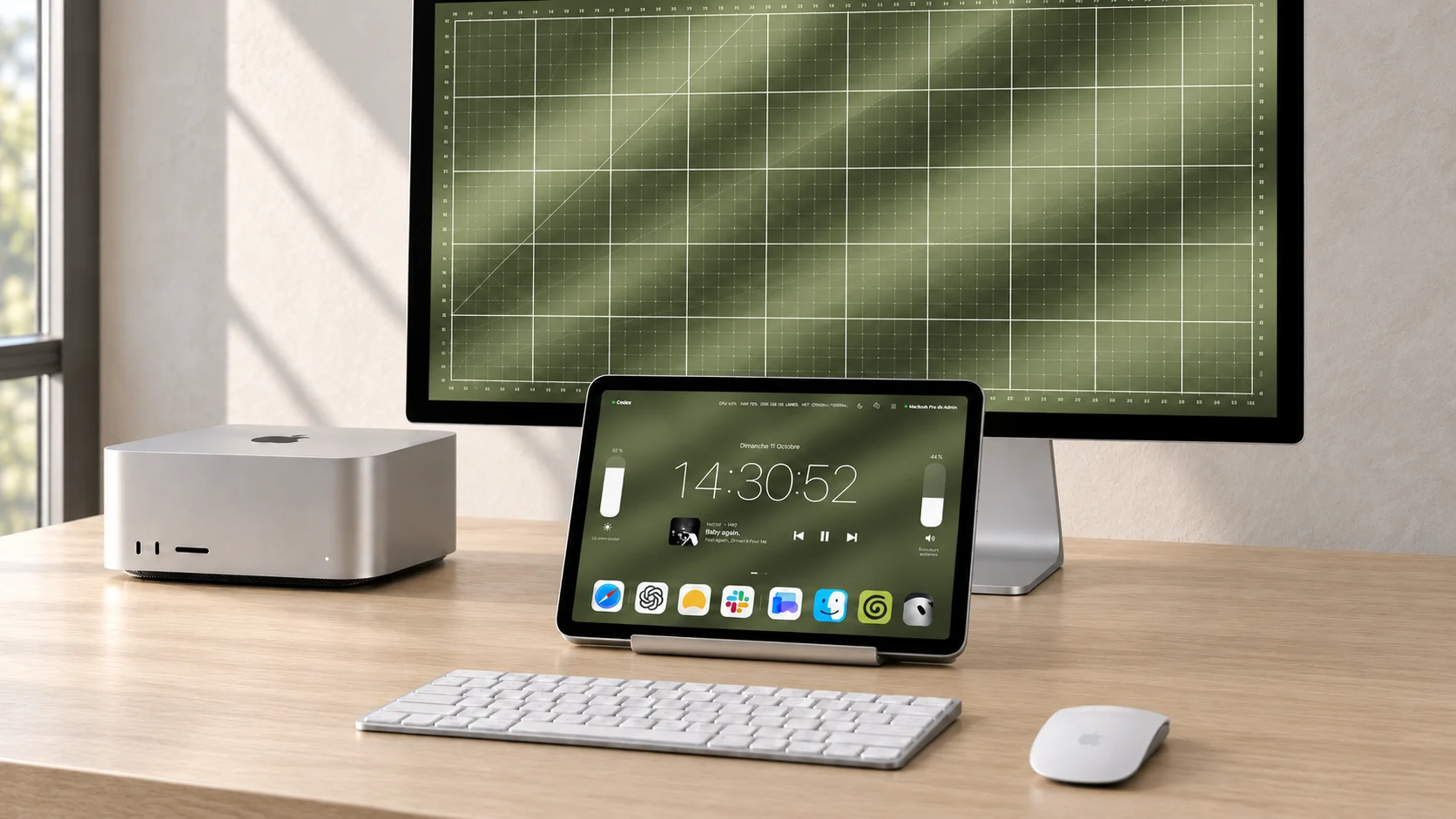
Tap the album artwork in Orbit. Your iPad takes on its colours, softly blurred behind your controls.
Choose an album to explore the effect.
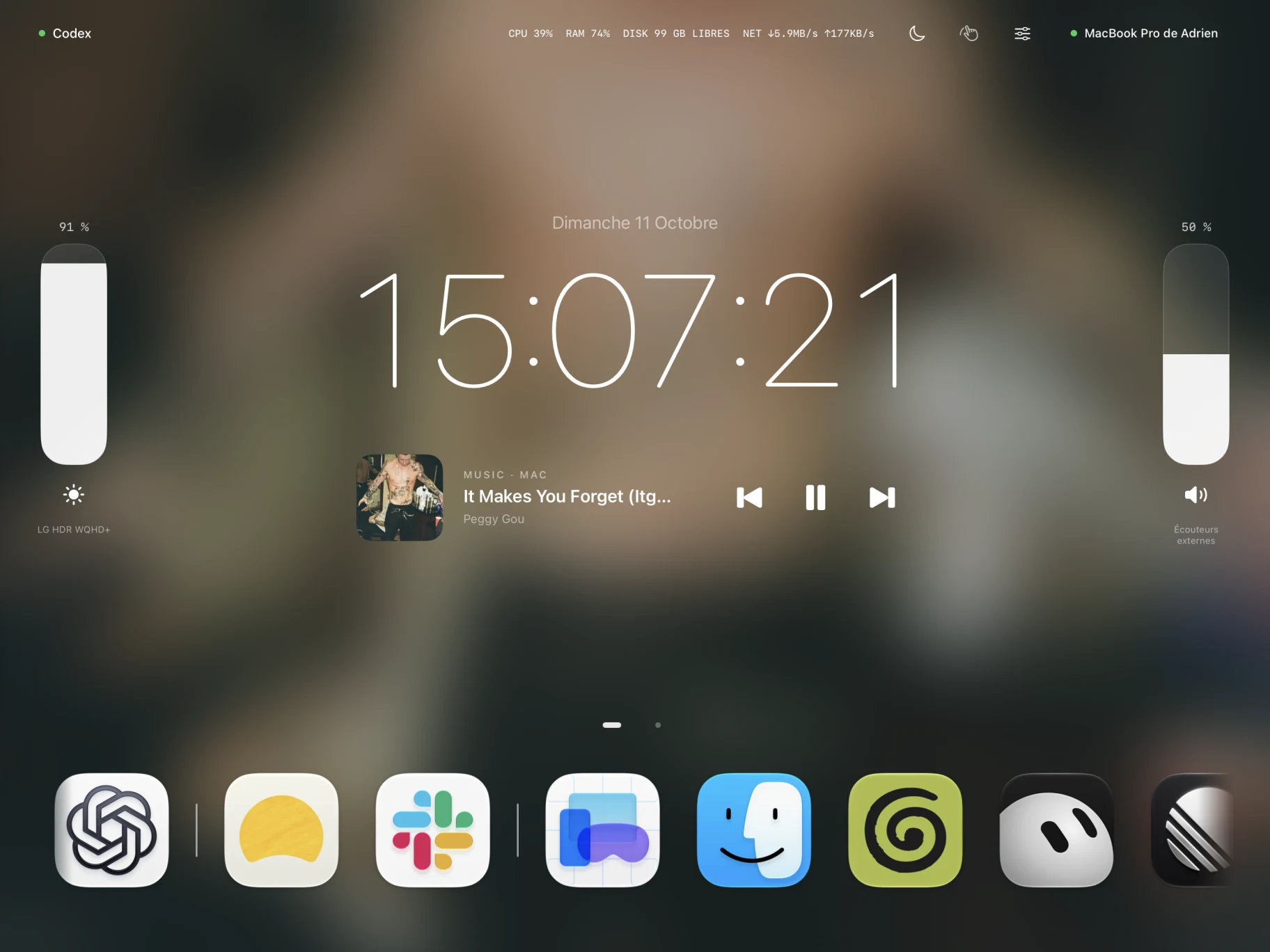
It Makes You Forget — Peggy Gou
Colour preview · No audio playbackClose, by design
Orbit connects your Mac and iPad on your local network. Pair with a code, and keep control close to home.
Launch Orbit on your Mac and allow access for the controls you want to use.
On the same local network, select your Mac and enter the pairing code shown on screen.
Place your iPad beside your display. Your apps, music, and Mac controls are right there.
 iPadOS 17+Available on the App Store
Download Orbit for iPad and the free Mac companion.
Unzip the Mac download, move Orbit to Applications and open it. Follow the setup to enable permissions and pair your iPad. Keep both devices on the same local network. Already using Orbit? Update the Mac companion too to get the Spotify fix.
A few answers
Yes. Mac discovery and controls use your local network. Orbit must stay open on your Mac for the iPad to connect.
Apps, music, volume, brightness and Mac controls.
See conversations detected in Codex and Claude and bring them forward on your Mac.
Pin apps, adjust Liquid Glass and choose the view that fits your day.
Orbit is available on the App Store with a 7-day free trial, then a one-time purchase. No subscription. The Mac companion is free. Requires macOS 14 or later and iPadOS 17 or later.